
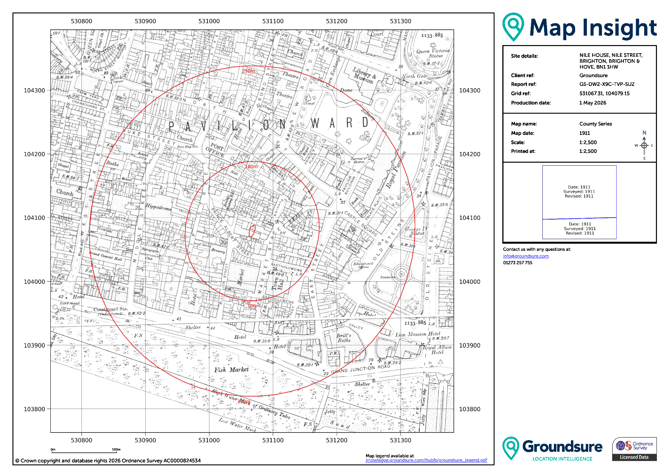
This is an example of a Map Insight with a site boundary outline and buffer lines.
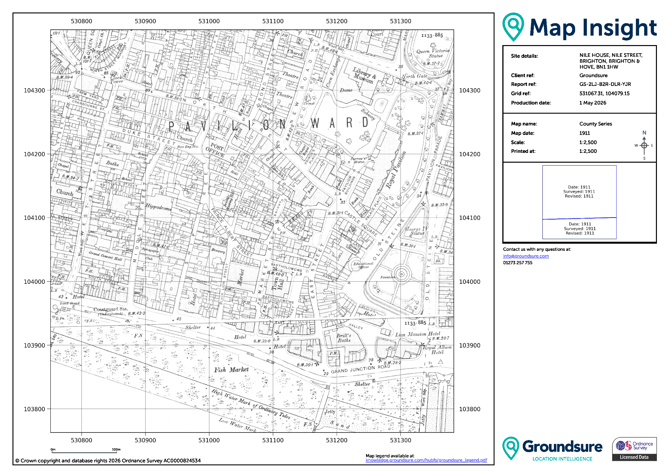
Below is an example of a Map Insight without a site boundary outline or buffer lines.
Top Tip - When ordering, follow the steps below to set your preference for your order (note you will need to set these each time you order. If you want to talk to use about setting a preference for all your orders please reach out to your account manager or the Customer support team).
Steps to order
- Define your site
- Go to Products
- Select either the Map Insight* or Groundsure Insight product
- You will see a modal for the product you are ordering like so:
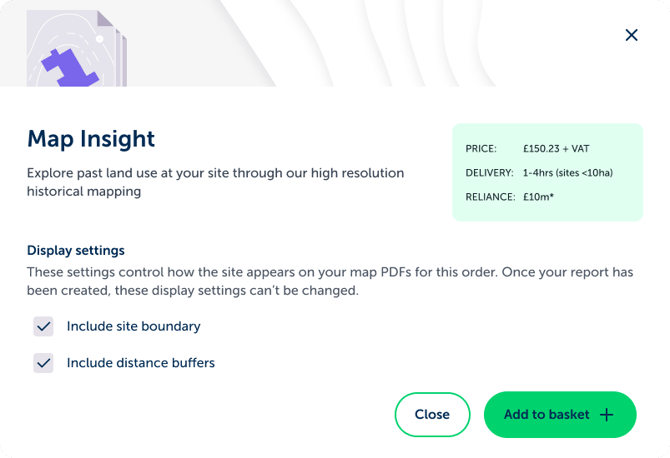
- 5. From here you can uncheck the check boxes to order your historical maps without the site boundary and distance buffers, or leave them checked to have them printed. Configure this however you need to.
*these configuration options are not available for Map Insight (Point) as these products already come without site boundary and buffer lines printed, but are set at 25ha area.